
Anúncios
Have you ever felt like your internet provider is hiding something from you? It’s time to uncover the truth about your real connection speed and stop being deceived.


For years, internet service providers have been playing a clever game with numbers, advertising speeds that rarely match reality. The frustration of buffering videos, slow downloads, and laggy online gaming experiences has become all too common. But what if you could finally see through the marketing smoke and mirrors?
Anúncios
Understanding your true internet speed isn’t just about satisfying curiosity—it’s about getting what you’re paying for and holding providers accountable. With the right tools and knowledge, you can now measure your actual connection performance and make informed decisions about your internet service.
🎯 Why Your Internet Feels Slower Than Advertised
Internet providers love advertising their “up to” speeds, but that tiny phrase carries enormous weight. When you sign up for a 100 Mbps plan, you’re not guaranteed to receive that speed—you’re only promised that it won’t exceed it. This marketing tactic has allowed providers to overpromise and underdeliver for decades.
Anúncios
Several factors contribute to the gap between advertised and actual speeds. Network congestion during peak hours means you’re sharing bandwidth with neighbors who are also streaming, gaming, and working from home. Your router’s age and placement can create bottlenecks, while outdated equipment from your provider may not support the speeds you’re paying for.
The type of connection matters tremendously. Fiber-optic connections typically deliver speeds closer to advertised rates, while cable and DSL connections often fall short. Weather conditions, physical distance from network infrastructure, and even the quality of cables in your walls can impact performance.
📊 Understanding the Real Numbers Behind Internet Speed
Internet speed measurements involve more than just a single number. Download speed tells you how quickly data flows to your device—this affects streaming, browsing, and downloading files. Upload speed measures how fast you can send data, crucial for video calls, uploading content, and cloud backups.
Latency or ping measures the time it takes for data to travel to a server and back. Low latency is essential for gaming, video conferencing, and real-time applications. Jitter refers to variations in latency, which can cause choppy video calls and unstable connections.
Packet loss occurs when data doesn’t reach its destination, requiring retransmission and slowing everything down. Even small amounts of packet loss can significantly impact your experience, especially with real-time applications.
💡 Mbps vs MBps: The Confusion That Costs You
One of the most common sources of confusion is the difference between Mbps (megabits per second) and MBps (megabytes per second). Internet providers advertise speeds in Mbps, but download speeds on your computer display in MBps. Since there are 8 bits in a byte, a 100 Mbps connection theoretically downloads at 12.5 MBps.
This distinction isn’t accidental—it makes speeds sound more impressive. When you see a file downloading at 10 MB/s on an 80 Mbps connection, your internet is actually performing as expected, not underdelivering.
🔍 How to Accurately Test Your Internet Speed
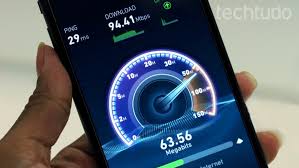
Testing your internet speed properly requires more than just visiting a random speed test website. Different testing tools can produce varying results based on their methodologies, server locations, and testing parameters.
For the most accurate measurements, connect your device directly to your modem using an Ethernet cable, bypassing your router and Wi-Fi interference. Close all applications that might be using bandwidth, including browser tabs, streaming services, cloud backup software, and automatic updates.
Run multiple tests at different times throughout the day. Morning, afternoon, evening, and late-night tests will reveal patterns in your connection’s performance. Peak usage hours typically show the slowest speeds, while late-night tests often approach advertised rates.

🛠️ The Best Tools for Measuring Your Connection
Professional-grade speed testing tools provide detailed insights that basic tests miss. Dedicated mobile apps often deliver more consistent results than browser-based tests, as they eliminate browser overhead and plugin interference.
Advanced testing platforms measure bufferbloat, which reveals how your connection handles multiple simultaneous activities. They also test sustained speeds over longer periods rather than brief bursts, giving you a more realistic picture of everyday performance.
Geographic diversity in testing servers matters significantly. Testing against servers in different locations reveals how well your connection performs for various online activities, from local gaming servers to international streaming platforms.
🚨 Red Flags That Your Provider Is Throttling Your Connection
Internet throttling occurs when providers intentionally slow specific types of traffic or overall speeds. Recognizing the signs can help you document issues and advocate for better service.
Consistent patterns of slow speeds during specific activities suggest selective throttling. If streaming services consistently buffer while general browsing works fine, your provider may be targeting video traffic. Similarly, torrent downloads crawling at a fraction of your normal speed indicate potential throttling of peer-to-peer traffic.
Time-based slowdowns that coincide perfectly with peak usage hours every single day might indicate artificial throttling rather than organic network congestion. Documentation through regular speed tests creates evidence if you need to escalate complaints.
⚖️ Your Rights as an Internet Consumer
Many regions have regulations requiring providers to deliver speeds within a certain percentage of advertised rates. Consumer protection laws often mandate transparency in advertising and allow you to cancel contracts if providers consistently fail to meet promised speeds.
Keep detailed records of your speed tests, including dates, times, and results. Screenshot evidence paired with written logs creates a compelling case when negotiating with customer service or filing regulatory complaints.
🔧 Optimizing Your Home Network for Maximum Speed
Even with a great connection from your provider, internal network issues can sabotage your speeds. Router placement dramatically affects Wi-Fi performance—central locations, elevated positions, and avoiding physical obstructions all improve signal strength.
Older routers may not support modern speed standards. Wi-Fi 5 (802.11ac) and Wi-Fi 6 (802.11ax) routers deliver significantly better performance than aging Wi-Fi 4 (802.11n) equipment. If your router is more than five years old, upgrading could unlock speeds you’re already paying for.
Interference from neighboring networks, electronic devices, and even microwave ovens can degrade Wi-Fi performance. Changing your router’s wireless channel and using the less congested 5GHz band instead of 2.4GHz often provides immediate improvements.
📡 Wired vs Wireless: The Speed Difference
Wi-Fi convenience comes with performance trade-offs. Even the best wireless connections rarely achieve the full speeds that wired Ethernet connections deliver effortlessly. For stationary devices like desktop computers, gaming consoles, and smart TVs, Ethernet cables provide superior speed and reliability.
Powerline adapters offer a middle ground, using your home’s electrical wiring to extend network connectivity. While not as fast as direct Ethernet, they often outperform Wi-Fi in challenging environments with thick walls or multiple floors.
💰 Getting What You Pay For: Negotiating with Providers
Armed with documented evidence of underperforming service, you gain negotiating leverage. Providers often have retention departments empowered to offer discounts, upgrades, or equipment replacements to keep customers from switching.
Present your speed test data calmly and professionally. Reference specific dates, times, and measurements showing consistent performance below advertised rates. Ask directly what solutions they offer—equipment upgrades, plan adjustments, or billing credits.
Research competing providers in your area before negotiations. Knowing alternative options strengthens your position. If your current provider won’t address issues adequately, switching becomes a viable solution rather than an empty threat.
🌐 The Future of Internet Speed Transparency
Regulatory bodies worldwide are pushing for greater transparency in internet speed advertising. New rules requiring providers to disclose typical speeds rather than theoretical maximums are emerging in multiple countries.
Technology improvements continue making high-speed internet more accessible. Fiber-optic expansion, 5G home internet, and satellite internet innovations are creating competition that benefits consumers through better service and lower prices.
Consumer awareness is perhaps the most powerful force driving change. As more people learn to measure and document their actual speeds, providers face increasing pressure to deliver on their promises or face customer exodus.
📱 Mobile Data Speeds: A Different Beast Entirely
Mobile internet speeds vary even more dramatically than home connections. Tower proximity, network congestion, building materials, and weather all impact cellular performance. Understanding these variables helps set realistic expectations.
5G promises revolutionary speeds, but coverage remains limited and inconsistent. Testing your mobile speeds in locations you frequent reveals whether upgrading to a 5G plan delivers meaningful benefits or just marketing hype.
Data throttling on mobile plans often kicks in after reaching usage caps, sometimes dropping speeds to unusable levels. Regular testing helps you understand your plan’s limitations and decide if upgrades are worthwhile.
🎮 Gaming and Streaming: Special Speed Considerations
Different online activities have unique speed requirements. Competitive gaming prioritizes low latency over raw bandwidth—a stable 25 Mbps connection with 20ms ping outperforms an unstable 100 Mbps connection with 80ms ping.
Streaming quality directly correlates with available bandwidth. Standard definition requires around 3-4 Mbps, HD needs 5-8 Mbps, and 4K streaming demands 25 Mbps or more. Multiple simultaneous streams multiply these requirements.
Video conferencing sits between gaming and streaming in its requirements. Stable, symmetric upload and download speeds matter more than maximum bandwidth. A connection with 10 Mbps up and down performs better for video calls than 50 Mbps down and 5 Mbps up.
🔐 Security and Speed Testing: Protecting Your Privacy
Some speed test platforms collect and sell user data. Choosing reputable testing services with clear privacy policies protects your information while still providing accurate measurements.
VPN usage affects speed test results since encryption adds overhead and routes traffic through additional servers. Testing with and without VPN activation reveals the privacy-speed trade-off for your specific connection and VPN service.
✨ Taking Control of Your Internet Experience
Knowledge transforms you from a passive consumer into an informed advocate for the service you deserve. Regular speed testing, proper documentation, and understanding your rights create accountability that benefits everyone.
The days of blindly accepting whatever speeds providers deliver are ending. With accessible testing tools and growing regulatory support, you can now verify your connection’s performance and demand the service you’re paying for.
Your internet connection powers work, education, entertainment, and communication. Ensuring it performs as promised isn’t just about speed—it’s about getting full value from an essential service that shapes your digital life. Start testing today, document your results, and never again accept being deceived about your real internet speed.

Toni Santos is a visionary artisan and conceptual designer who channels the beauty of living organisms into structural expression. At Zureste, Toni explores the intricate elegance of insect anatomy, organic flow, and bioinspired design to create art that feels both natural and otherworldly.
Each creation Toni brings to life reflects a harmonic tension between structure and softness, wildness and control — echoing the complex intelligence found in the natural world. From beetle-like silhouettes to root-shaped contours, his work blurs the lines between biology, sculpture, and modern art.
Guided by fascination for metamorphosis, evolution, and pattern in nature, Toni’s pieces embody transformation. His BioLight Collection and conceptual series like Insect Type and Structure Aesthetics offer viewers more than aesthetic value — they present immersive experiences of living design.
As the creative force behind Zureste, Toni invites us to rethink beauty, architecture, and identity through a new lens — one shaped by wings, bones, spirals, and the microscopic poetry of the organic.
His creations reflect:
-
Design deeply rooted in the geometry of life
-
Inspiration from insects, roots, and the unseen natural order
-
A blend of science, spirituality, and visual storytelling
Whether you’re a lover of strange beauty, an admirer of evolution’s artistry, or a creative mind seeking something different, Toni welcomes you into a world where living forms become meaning, and surreal becomes sublime.