
Anúncios
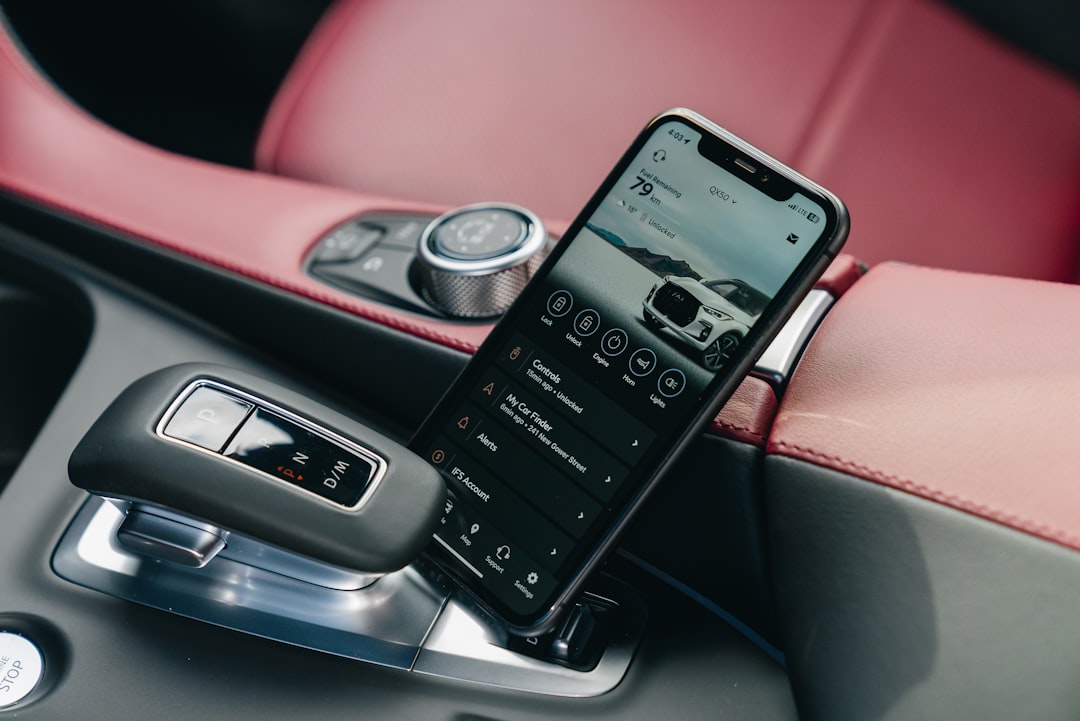
Modern vehicles have evolved into sophisticated computers on wheels, and now your smartphone can unlock their secrets through specialized diagnostic apps that connect directly to your car’s brain.


Gone are the days when checking your vehicle’s health meant an expensive trip to the mechanic. Today’s technology puts comprehensive automotive diagnostics right in your pocket, transforming how car owners interact with their vehicles.
Anúncios
Whether you’re experiencing a mysterious check engine light or simply want to monitor your car’s performance, mobile diagnostic apps have revolutionized vehicle maintenance.

This transformation represents more than convenience—it’s about empowerment. By accessing real-time data from your car’s onboard computer, you gain insights that were once exclusive to professional technicians. From fuel efficiency metrics to emission readiness, these applications bridge the gap between drivers and their vehicles, creating a more informed and proactive approach to car ownership.
Anúncios
🚗 Understanding OBD-II Technology and Your Smartphone
Every car manufactured after 1996 in the United States (and similar years globally) contains an **OBD-II port**—a standardized diagnostic interface that communicates with your vehicle’s Electronic Control Unit (ECU). This port serves as the gateway between your car’s internal systems and external diagnostic tools.
The magic happens when you connect a Bluetooth or Wi-Fi **OBD-II adapter** to this port. These compact devices, often costing between $15 and $100, translate your car’s computer language into data your smartphone can understand. Once paired with a diagnostic app, you’re essentially carrying a professional-grade scanner in your pocket.
The OBD-II system monitors dozens of sensors throughout your vehicle, tracking everything from oxygen levels in the exhaust to the temperature of your engine coolant. When something falls outside normal parameters, the system generates a **Diagnostic Trouble Code (DTC)**—those cryptic combinations like P0420 or P0171 that your app will decode into plain language.
What Data Can You Actually Access?
Modern diagnostic apps tap into an impressive array of vehicle information:
- Real-time performance metrics: RPM, speed, fuel consumption, engine load, and throttle position
- Sensor readings: Coolant temperature, intake air temperature, oxygen sensor values, and fuel pressure
- Trouble codes: Active and pending error codes with detailed descriptions
- Emission readiness: Monitor status for smog checks and inspection preparation
- Freeze frame data: Snapshots of conditions when a fault occurred
- Fuel trim values: Insights into engine efficiency and air-fuel mixture
📱 Choosing the Right Diagnostic Application
Not all diagnostic apps are created equal. The market offers dozens of options, ranging from basic free apps to comprehensive professional suites. **Car Scanner** stands out as a particularly robust option, offering deep diagnostic capabilities without overwhelming casual users.
When evaluating diagnostic applications, consider these critical features:
Code reading and clearing: The most fundamental function—reading DTCs and clearing them after repairs. Quality apps provide detailed code descriptions beyond simple definitions, explaining likely causes and common fixes.
Live data streaming: Watch real-time sensor values while driving or idling. This feature proves invaluable for diagnosing intermittent problems that don’t trigger permanent codes.
Customizable dashboards: Create personalized displays showing the metrics you care about most, whether that’s fuel economy, turbo boost pressure, or transmission temperature.
Data logging and graphing: Record sessions for later analysis, particularly useful for diagnosing problems that occur under specific driving conditions. Visual graphs make trends and anomalies immediately apparent.
Advanced Features That Make a Difference
Premium diagnostic apps extend beyond basic code reading:
**Multi-protocol support** ensures compatibility with various vehicle manufacturers’ proprietary systems. While OBD-II is standardized, manufacturers implement it differently, and robust apps accommodate these variations.
**Trip tracking and fuel economy monitoring** transform your diagnostic tool into a comprehensive vehicle management system. Track mileage, calculate actual fuel consumption, and identify driving patterns that waste fuel.
**Maintenance reminders** help you stay ahead of service intervals. Input your vehicle’s maintenance schedule, and the app notifies you when oil changes, tire rotations, or other services come due.
**Community databases** within some apps provide access to repair experiences from thousands of users who’ve encountered similar codes, offering real-world solutions and repair cost estimates.
🔧 Setting Up Your Mobile Diagnostic System
Getting started with smartphone-based vehicle diagnostics requires minimal investment and technical knowledge. The setup process typically takes less than five minutes, even for complete beginners.
Step 1: Locate your OBD-II port. In most vehicles, you’ll find this 16-pin connector under the dashboard on the driver’s side, usually near the steering column. Some manufacturers place it near the center console or passenger side, but it’s always within arm’s reach of the driver’s seat.
Step 2: Choose a compatible adapter. ELM327-based adapters dominate the market, offering reliable performance at affordable prices. Bluetooth adapters provide the widest compatibility across iOS and Android devices, though Wi-Fi versions often deliver faster data rates.
Step 3: Plugin and pair. With your vehicle’s ignition in the “on” position (engine running or not), insert the adapter firmly into the OBD-II port. Enable Bluetooth on your smartphone and pair with the adapter (often named “OBD-II” or similar, with default pairing codes like 1234 or 0000).
Troubleshooting Common Connection Issues
Most connection problems stem from three simple issues:
**Adapter compatibility:** Not all ELM327 adapters are authentic. Counterfeit versions may struggle with certain vehicle protocols. Invest in adapters from reputable manufacturers with verified compatibility lists.
**Ignition position:** The OBD-II port only receives power when the ignition is at least in the “accessories” position. If your adapter shows no lights, turn the key forward one click.
**Bluetooth interference:** Multiple Bluetooth devices can cause conflicts. Disconnect other paired devices temporarily while establishing the initial connection with your OBD-II adapter.
💡 Practical Applications for Daily Drivers
Beyond the novelty of accessing your car’s data, diagnostic apps deliver tangible benefits that save money and prevent breakdowns.
Decoding the check engine light: That amber warning triggers anxiety in most drivers. Instead of rushing to a repair shop, pull the code yourself. Many times, it’s something minor—a loose gas cap (P0457) or a temporarily faulty sensor. You’ll know immediately whether you’re facing an emergency or a situation that can wait until your next scheduled maintenance.
Pre-purchase vehicle inspection: Shopping for a used car? Bring your adapter and smartphone. Scan for stored codes that might indicate hidden problems. Check readiness monitors—if multiple systems show “not ready,” the seller may have recently cleared codes to hide issues. Review live data for irregularities like misfires, unusual fuel trim values, or sensor readings outside normal ranges.
Monitoring performance modifications: Enthusiasts who modify their vehicles need to verify that changes produce desired results without causing problems. Track air-fuel ratios after installing a new exhaust, monitor boost pressure with a turbo upgrade, or confirm that your cold air intake actually reduces intake temperatures.
Maximizing Fuel Efficiency Through Data
One of the most practical applications involves optimizing fuel consumption. Your diagnostic app reveals exactly how driving habits affect efficiency:
**Throttle position monitoring** shows how aggressively you’re accelerating. Smooth, gradual acceleration typically delivers 15-30% better fuel economy than jack-rabbit starts.
**Engine load percentage** indicates how hard your engine works. Maintaining loads between 20-40% during cruise optimizes efficiency, while constant high loads (climbing hills in too high a gear) waste fuel.
**Fuel system status** reveals whether your engine runs in open or closed loop mode. Closed loop uses oxygen sensor feedback for optimal efficiency, while open loop relies on preset values and consumes more fuel.
| Driving Condition | Optimal Engine Load | Typical MPG Impact |
|---|---|---|
| Highway cruising | 15-25% | Baseline (best) |
| City stop-and-go | 30-50% | -30% to -40% |
| Aggressive acceleration | 70-100% | -50% or more |
| Mountain climbing | 60-80% | -40% to -60% |
🛡️ Preventive Maintenance Through Proactive Monitoring
The most valuable aspect of continuous vehicle monitoring isn’t fixing problems—it’s preventing them. Diagnostic apps enable a proactive maintenance approach that catches issues before they become expensive repairs.
Tracking sensor degradation: Oxygen sensors, for example, don’t fail suddenly. They gradually lose efficiency over months or years. By monitoring their response times and voltage patterns, you can identify sensors nearing end-of-life and replace them before they trigger codes or reduce fuel economy.
Identifying developing misfires: Misfire counters show even occasional combustion problems. A cylinder with 5-10 misfires per thousand cycles might not trigger a warning light yet, but it signals developing issues with spark plugs, ignition coils, or fuel injectors. Address these early, before they damage catalytic converters.
Monitoring coolant temperature patterns: Your engine should reach operating temperature (typically 195-220°F) within 5-10 minutes. Longer warm-up times suggest a stuck-open thermostat. Temperatures consistently above normal indicate cooling system problems—low coolant, failing water pump, or clogged radiator.
Understanding Freeze Frame Data
When your car’s computer detects a problem serious enough to trigger the check engine light, it takes a “snapshot” of operating conditions at that exact moment. This **freeze frame data** provides crucial diagnostic clues:
- Engine speed and vehicle speed when the fault occurred
- Engine load and throttle position at fault detection
- Fuel system status and calculated load value
- Coolant temperature and intake air temperature
- Short and long-term fuel trim percentages
This information helps you (or your mechanic) understand whether problems occur during cold starts, highway driving, idling, or specific operating conditions. A misfire that only happens at idle points to different causes than one occurring under heavy acceleration.
🔍 Advanced Diagnostics for Technically-Inclined Users
Power users can leverage diagnostic apps for analysis that rivals professional scan tools costing thousands of dollars.
Fuel trim analysis reveals how your engine’s computer compensates for inefficiencies. Short-term fuel trim (STFT) shows immediate adjustments, while long-term fuel trim (LTFT) indicates learned compensations over time. Values ranging from -10% to +10% are normal, but extremes suggest problems:
Highly positive fuel trim (+15% or more) means the computer adds extra fuel, compensating for a lean condition. Causes include vacuum leaks, weak fuel pump, clogged fuel filter, or faulty mass airflow sensor.
Highly negative fuel trim (-15% or more) indicates the computer reducing fuel to compensate for a rich condition. Suspect leaking fuel injectors, excessive fuel pressure, or contaminated mass airflow sensor.
Oxygen sensor monitoring provides insights into combustion efficiency. Upstream O2 sensors should oscillate rapidly between 0.1 and 0.9 volts when the engine reaches operating temperature. Sensors stuck at one voltage, responding slowly, or showing minimal oscillation need replacement.
Creating Custom Dashboards for Specific Needs
Tailor your diagnostic app to display information relevant to your priorities:
**Economy-focused dashboard:** Instantaneous MPG, average fuel consumption, throttle position, engine load, and intake air temperature. Monitor these values to develop efficient driving habits.
**Performance enthusiast dashboard:** Boost pressure (turbocharged vehicles), air-fuel ratio, ignition timing advance, intake air temperature, and coolant temperature. Track these metrics during spirited driving or track days.
**Commercial driver dashboard:** Engine hours, trip distance, average speed, fuel consumed, and idle time. Essential for fleet management and maintenance scheduling.
**Diagnostic troubleshooting dashboard:** Misfire counters for each cylinder, fuel trim values, O2 sensor voltages, and catalyst monitor status. Useful when chasing intermittent problems or verifying repairs.
🌐 Limitations and Realistic Expectations
While smartphone diagnostic apps offer impressive capabilities, understanding their limitations prevents frustration and unrealistic expectations.
OBD-II only accesses powertrain data in most vehicles. That means engine, transmission, and emissions systems. Many advanced features—ABS diagnostics, airbag system information, climate control data, or body control module functions—require manufacturer-specific protocols that consumer-grade adapters can’t access.
Code reading doesn’t equal diagnosis. A P0171 code indicates “System Too Lean Bank 1,” but that’s a symptom, not a root cause. Dozens of potential problems create lean conditions—vacuum leaks, failing MAF sensor, weak fuel pump, clogged fuel filter, exhaust leaks, or even oil contamination on the MAF sensor. The code points you in the right direction, but proper diagnosis requires additional investigation.
Not all adapters support all vehicles equally. European, Japanese, and American manufacturers implement OBD-II differently. Some adapters excel with Fords but struggle with BMWs. Research compatibility specifically for your vehicle’s make and model before purchasing.
When Professional Diagnostics Remain Necessary
Certain situations exceed smartphone diagnostic capabilities:
**Manufacturer-specific systems:** Programming new keys, accessing advanced body control functions, performing module relearning procedures, or diagnosing proprietary systems like adaptive suspension require dealer-level scan tools.
**Bi-directional controls:** Activating specific components (cycling ABS valves, testing injectors individually, commanding fan operation) to test functionality requires professional equipment with bi-directional capabilities.
**Complex intermittent problems:** Issues requiring oscilloscope analysis, compression testing, leak-down tests, or physical inspection of components still demand professional expertise and equipment.
💰 Cost-Benefit Analysis of DIY Diagnostics
The financial advantages of smartphone-based vehicle diagnostics become apparent quickly. Consider typical scenarios:
Scenario 1: Check engine light diagnosis. Many shops charge $100-150 just to connect their scan tool and read codes. Your $30 adapter and free app eliminate this fee entirely. If you experience three check engine lights yearly, you’ve saved $300-450 annually.
Scenario 2: Failed emissions test. Your car fails smog check due to “not ready” monitors. Instead of paying a shop $150 to diagnose and prepare your vehicle, you run a few drive cycles guided by your app’s readiness monitor, ensuring all systems complete their tests. Retest fee: $0.
Scenario 3: Pre-purchase inspection. Professional inspections cost $150-300. Performing your own OBD-II scan during used car shopping reveals potential problems before purchase, potentially saving thousands on vehicles with hidden issues or providing negotiating leverage on cars with minor correctable codes.
Beyond immediate savings, the knowledge gained fosters better communication with mechanics. Understanding what your car’s computer says empowers you to have informed discussions, request specific tests, and evaluate whether recommended repairs address actual problems or represent upselling.
🚀 Future Developments in Mobile Vehicle Diagnostics
The intersection of smartphones and automotive diagnostics continues evolving rapidly. Emerging technologies promise even greater capabilities:
Artificial intelligence integration: Next-generation apps will analyze patterns in your vehicle’s data, predicting component failures before they occur. Machine learning algorithms will compare your car’s sensor readings against millions of similar vehicles, identifying subtle anomalies that indicate developing problems.
Enhanced connectivity: As 5G networks mature, cloud-based diagnostic platforms will offer real-time expert analysis. Experiencing a problem? Upload your live data stream, and AI-assisted technicians provide immediate guidance, potentially solving issues without shop visits.
Augmented reality integration: Future apps may overlay diagnostic information directly onto your vehicle through your smartphone camera. Point your phone at your engine, and AR graphics highlight problem components, show sensor locations, and provide step-by-step repair guidance.
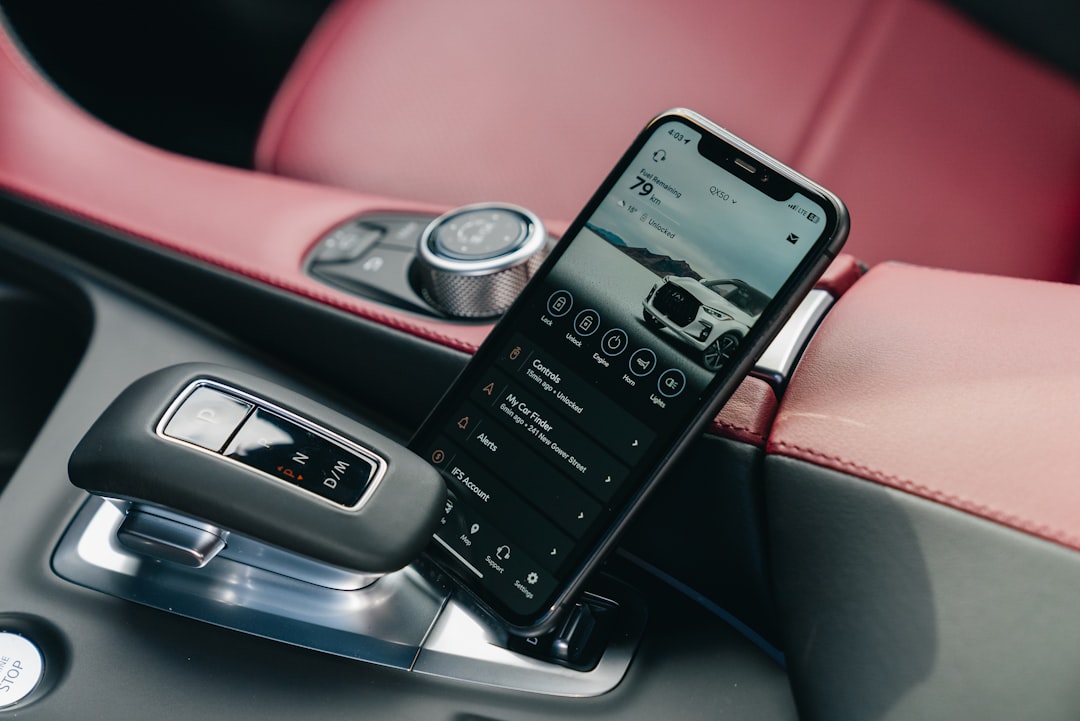
**Connected car integration:** Modern vehicles with built-in connectivity may eventually offer manufacturer-sanctioned smartphone diagnostic access without aftermarket adapters, providing deeper insights into proprietary systems while maintaining security.
🎯 Making the Most of Your Diagnostic Tool
Maximizing the value of smartphone-based diagnostics requires a systematic approach and realistic expectations.
Establish baselines: When your car runs perfectly, record normal values for all major sensors. Document coolant temperature, O2 sensor patterns, fuel trim values, and typical readings at idle and highway speeds. These baselines provide reference points when diagnosing future problems.
Learn your vehicle’s normal behavior: Every car has quirks. Some engines naturally run slightly rich at cold start. Others show specific fuel trim patterns that fall within normal ranges for that model. Understanding your vehicle’s personality prevents misinterpreting normal behavior as problems.
Keep detailed records: Document all codes, when they appeared, driving conditions, and resolutions. This history proves invaluable for diagnosing recurring issues or identifying patterns that point to root causes.
Combine data with observation: OBD-II data tells one part of the story. Combine it with physical inspection—look for vacuum leaks, check fluid levels, inspect belts and hoses. The most accurate diagnoses merge electronic data with hands-on investigation.
Modern technology has democratized automotive diagnostics, placing professional-grade insights into the hands of everyday drivers. A modest investment in a quality OBD-II adapter and diagnostic app transforms your smartphone into a powerful tool for understanding, maintaining, and troubleshooting your vehicle. Whether you’re a curious car owner wanting to understand your check engine light or an enthusiast optimizing performance, mobile diagnostics offer unprecedented access to your vehicle’s inner workings. The key lies in approaching this technology as an educational tool that enhances your automotive knowledge, empowers informed maintenance decisions, and ultimately helps you develop a deeper connection with the machine that gets you where you need to go every day.

Toni Santos is a visionary artisan and conceptual designer who channels the beauty of living organisms into structural expression. At Zureste, Toni explores the intricate elegance of insect anatomy, organic flow, and bioinspired design to create art that feels both natural and otherworldly.
Each creation Toni brings to life reflects a harmonic tension between structure and softness, wildness and control — echoing the complex intelligence found in the natural world. From beetle-like silhouettes to root-shaped contours, his work blurs the lines between biology, sculpture, and modern art.
Guided by fascination for metamorphosis, evolution, and pattern in nature, Toni’s pieces embody transformation. His BioLight Collection and conceptual series like Insect Type and Structure Aesthetics offer viewers more than aesthetic value — they present immersive experiences of living design.
As the creative force behind Zureste, Toni invites us to rethink beauty, architecture, and identity through a new lens — one shaped by wings, bones, spirals, and the microscopic poetry of the organic.
His creations reflect:
-
Design deeply rooted in the geometry of life
-
Inspiration from insects, roots, and the unseen natural order
-
A blend of science, spirituality, and visual storytelling
Whether you’re a lover of strange beauty, an admirer of evolution’s artistry, or a creative mind seeking something different, Toni welcomes you into a world where living forms become meaning, and surreal becomes sublime.