
Anúncios
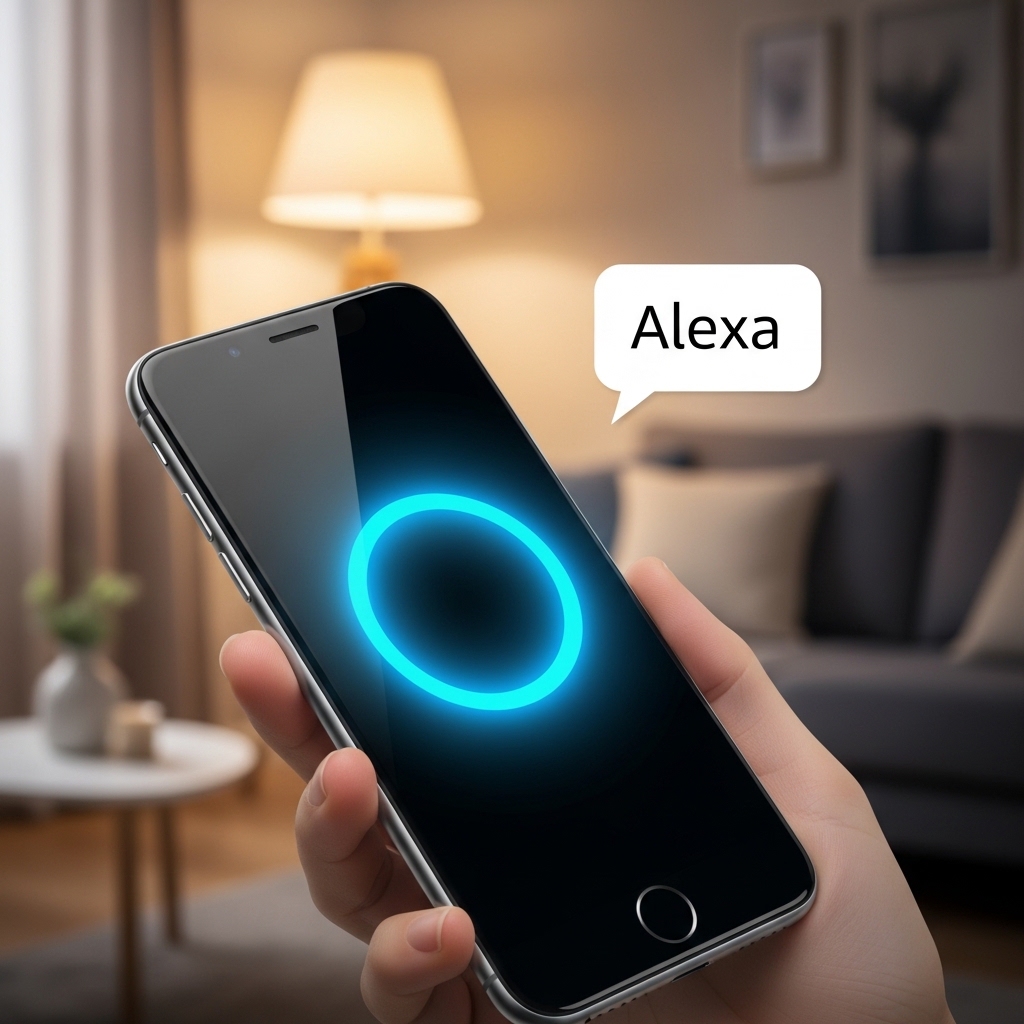
The Alexa app transforms your smartphone into a powerful command center for Amazon’s virtual assistant, bringing smart home control and voice interaction right to your fingertips.


Whether you own an Echo device or simply want to explore Amazon’s virtual assistant capabilities, the Alexa app serves as your gateway to a connected lifestyle. With millions of downloads worldwide, this mobile application has become essential for anyone looking to streamline their daily routines through voice commands and smart automation.
Anúncios
From playing your favorite music to controlling lights, thermostats, and security cameras, the app bridges the gap between your digital desires and physical reality. Let’s dive deep into everything this powerful application offers and how it can revolutionize your approach to modern living. 🏠
What Makes the Alexa App Stand Out
The Alexa app isn’t just another voice assistant interface—it’s a comprehensive ecosystem manager. Unlike competitors, Amazon has invested heavily in creating an intuitive experience that works seamlessly across devices, platforms, and smart home brands.
Anúncios
One of the app’s strongest features is its universal compatibility. You don’t need an Echo speaker to benefit from Alexa’s capabilities. The app itself can function as a standalone virtual assistant, responding to voice commands directly through your phone’s microphone. This flexibility means you can ask questions, set reminders, or control smart devices even when you’re away from home.
The interface design prioritizes simplicity without sacrificing functionality. Navigation feels natural, with a bottom menu providing quick access to home controls, communication features, entertainment options, and device settings. Even first-time users can typically set up and start using core features within minutes.
Setting Up Your Alexa Experience ⚙️
Getting started with the Alexa app requires just a few straightforward steps. After downloading from the Play Store or App Store, you’ll sign in with your Amazon account credentials. If you don’t have an Amazon account, you can create one directly through the app—a process that takes less than two minutes.
During initial setup, the app requests several permissions including microphone access (for voice commands), location services (for weather and local information), and notification rights (for alerts and reminders). While you can skip some permissions, granting them unlocks the full potential of what Alexa can do for you.
If you own Echo devices, the app automatically detects them on your Wi-Fi network and guides you through pairing. For smart home devices from other manufacturers, the app includes a vast library of compatible products. Simply search for your device brand, follow the integration steps, and within moments you’re controlling everything through voice or touch.
Connecting Smart Home Devices
The true power of the Alexa app emerges when you start connecting smart home gadgets. The app supports thousands of brands including Philips Hue, Ring, Nest, TP-Link, Samsung SmartThings, and countless others. The “Devices” tab serves as your control center, organizing everything by rooms or device types.
Creating routines amplifies convenience exponentially. You can program the app to execute multiple actions with a single command. For example, saying “Alexa, good morning” might turn on bedroom lights, start your coffee maker, read the weather forecast, and play your favorite news podcast—all simultaneously. These routines can also trigger based on time, location, or device status without any voice command needed.
Voice Commands That Actually Work 🎤
Alexa’s voice recognition has improved dramatically since launch. The app now understands natural language remarkably well, meaning you don’t need to memorize specific phrases. You can ask questions conversationally, and Alexa interprets your intent with impressive accuracy.
Music playback represents one of the most popular uses. The app integrates with Amazon Music, Spotify, Apple Music, Pandora, and other streaming services. Simply say “Alexa, play jazz” or “Alexa, play something relaxing” and the assistant curates appropriate selections. You can also request specific artists, albums, playlists, or even songs by partial lyrics.
Information queries showcase Alexa’s knowledge base. Ask about weather conditions, sports scores, historical facts, mathematical calculations, unit conversions, or definitions—the app retrieves answers within seconds. For more complex questions, Alexa can search the web and read relevant snippets aloud.
Shopping and List Management
Since Amazon owns Alexa, shopping integration feels particularly seamless. Voice-ordering products from Amazon requires just a simple command: “Alexa, order paper towels.” The app uses your previous purchase history and Prime settings to fulfill orders efficiently. You can enable purchase confirmation for added security, requiring a PIN before completing transactions.
Beyond shopping, the app excels at list management. Grocery lists, to-do lists, and general notes can all be created and updated through voice commands. These lists sync across all your Alexa-enabled devices and can be accessed directly in the app, making grocery shopping trips or task management significantly easier.
Entertainment Features Beyond Music 📺
While music dominates many users’ Alexa experience, the app offers extensive entertainment options. Audiobooks through Audible integrate perfectly—you can start listening on your Echo device and seamlessly continue on your phone app, with your progress automatically syncing.
Podcasts have become a major focus for Amazon, and the app provides easy access to thousands of shows. You can subscribe to favorites, download episodes for offline listening, and use voice commands to play, pause, skip, or adjust playback speed. The recommendation engine learns your preferences and suggests new content aligned with your interests.
For households with Fire TV devices, the Alexa app functions as an advanced remote control. Voice search makes finding content across multiple streaming services effortless. Instead of typing titles with a remote, just say “Alexa, find action movies” or “Alexa, play The Office” and watch appropriate results appear instantly.
Communication Tools Built In 💬
The Alexa app includes robust communication features that many users overlook. Drop In allows you to instantly connect with other Alexa devices in your home or with approved contacts’ devices. This creates an intercom-like experience perfect for multi-story homes or checking in on elderly relatives.
Voice and video calling work between Alexa app users and Echo Show devices without phone numbers or additional apps. The quality typically exceeds expectations, with clear audio and stable video connections. You can initiate calls through voice commands or by tapping contacts within the app’s communication section.
Announcements broadcast messages to all Alexa devices in your household simultaneously. Whether reminding everyone dinner is ready or that you’re leaving soon, announcements ensure everyone hears your message regardless of which room they’re in. You can even send announcements remotely through the app when you’re away from home.
Privacy Controls and Security Settings 🔒
Privacy concerns naturally arise with always-listening devices. Amazon has implemented several controls within the app to address these worries. The privacy hub provides centralized access to all privacy-related settings and features.
Voice recording review allows you to listen to or delete any voice interactions Alexa has recorded. You can delete individual recordings, delete by date range, or enable automatic deletion after three or eighteen months. There’s even an option to prevent Amazon from using your voice recordings to improve Alexa’s services.
Microphone controls extend to both the app and connected devices. On Echo speakers, you can disable the microphone with a physical button. Within the app, you can manage which devices listen for wake words and adjust sensitivity levels. These granular controls put users firmly in charge of their privacy preferences.
Managing Multiple User Profiles
Household profiles allow different family members to have personalized Alexa experiences. Each person can link their own music accounts, calendars, shopping lists, and communication contacts. Alexa can recognize different voices and automatically switch to the appropriate profile when someone speaks.
Kids profiles include additional parental controls, filtering explicit content and limiting certain features. You can set time limits for device usage, restrict purchasing capabilities, and review your child’s activity through detailed reports. These safeguards help parents feel comfortable allowing children to interact with Alexa independently.
Skills: Expanding Alexa’s Capabilities 🚀
The Skills section represents Alexa’s app store equivalent. Third-party developers have created over 100,000 skills that add specialized functionality. From meditation guides and workout coaches to interactive games and educational quizzes, skills dramatically expand what Alexa can do.
Popular skill categories include news and information, productivity and organization, food and drink, health and fitness, and smart home control. Enabling skills takes seconds—simply browse or search, select the skill you want, and tap “Enable.” Many skills work immediately without additional setup, while others may require linking accounts or providing preferences.
Some skills have become essential for specific use cases. Meditation apps like Headspace offer guided sessions through Alexa. Recipe skills from platforms like Allrecipes provide step-by-step cooking instructions. Transportation skills from Uber or Lyft allow you to request rides using just your voice. The variety ensures there’s almost certainly a skill matching your specific interests or needs.
Troubleshooting Common Issues 🔧
Despite the app’s generally smooth performance, occasional issues arise. Connection problems between the app and Echo devices typically stem from Wi-Fi issues. Ensuring your router firmware is updated and that devices are within reasonable range usually resolves these hiccups. The app includes a troubleshooting section that walks through common connectivity solutions step-by-step.
Voice recognition accuracy can sometimes falter, especially in noisy environments. Teaching Alexa your voice through the voice training feature improves recognition significantly. You’ll read a series of phrases aloud, allowing Alexa to learn your speech patterns, accent, and pronunciation. This five-minute investment pays dividends in daily interactions.
If smart home devices stop responding, the issue often lies with the device manufacturer’s servers rather than Alexa itself. Disabling and re-enabling the relevant skill usually restores functionality. For persistent problems, unlinking and relinking the device through the app forces a fresh connection that resolves most issues.
Advanced Tips for Power Users 💡
Routines deserve deeper exploration than most users give them. Beyond simple actions, routines support conditional logic—meaning actions can vary based on factors like time of day, day of week, or device status. You might create a single “leaving home” routine that behaves differently on weekdays versus weekends, adjusting thermostats and security settings accordingly.
Custom voice commands through routines allow you to create personalized shortcuts. If you frequently ask about traffic to work, create a routine triggered by “Alexa, commute” that checks traffic, reads calendar appointments, and provides weather—all with one brief command.
Groups organize multiple smart devices for simultaneous control. Instead of saying “Alexa, turn off the kitchen lights, kitchen fan, and kitchen TV,” you create a “kitchen” group and simply say “Alexa, turn off the kitchen.” Groups work brilliantly for whole-floor controls or outdoor spaces with multiple devices.
Integrating Alexa with IFTTT
IFTTT (If This Then That) integration unlocks next-level automation. Through IFTTT, you can connect Alexa to services that don’t have native skills, creating applets that trigger actions across platforms. For instance, you could configure “Alexa, I’m heading home” to automatically adjust your Nest thermostat, unlock your August smart lock, and send a text message to your spouse—all through IFTTT connections.
The possibilities become limited only by your imagination and the services you use. Logging Alexa commands to spreadsheets, posting to social media, controlling non-compatible smart devices, or integrating with business productivity tools all become achievable through IFTTT bridges.
Future Developments on the Horizon 🌟
Amazon continuously updates the Alexa app with new features and improvements. Recent additions have focused on enhanced visual interfaces, better context awareness, and more natural conversation flows. The company’s heavy investment in artificial intelligence suggests voice interactions will become increasingly sophisticated and human-like.
Ambient computing represents the broader vision—technology that fades into the background while remaining accessible when needed. The Alexa app serves as a cornerstone of this philosophy, providing invisible assistance that anticipates needs rather than merely responding to commands. Features like proactive notifications and contextual suggestions already hint at this direction.
Cross-device experiences continue improving as well. Starting a task on your phone app and completing it on an Echo device (or vice versa) grows more seamless with each update. This continuity creates a truly unified ecosystem rather than separate, disconnected touchpoints.
Making the Most of Your Alexa App Experience
Success with the Alexa app comes from exploration and experimentation. Don’t limit yourself to basic commands—dive into settings, try different skills, and set up routines that genuinely simplify your routines. The app rewards curiosity with increasingly personalized and helpful assistance.
Regular check-ins with the “What’s New” section keep you informed about latest features. Amazon frequently rolls out capabilities without major announcements, meaning you might miss valuable additions if you don’t periodically explore. Setting a monthly reminder to review new features ensures you’re leveraging everything available.
Community resources provide inspiration beyond Amazon’s official documentation. Reddit’s Alexa community, YouTube tutorials, and smart home forums share creative use cases and troubleshooting wisdom from experienced users. Learning from others’ discoveries accelerates your journey from beginner to power user.
The Alexa app represents far more than a simple voice assistant interface. It’s a comprehensive platform for managing your connected life, offering entertainment, productivity, communication, and home automation in one cohesive package. Whether you’re just starting your smart home journey or optimizing an already advanced setup, the app provides tools to match your ambitions. Download it today and discover how voice-first technology can genuinely improve your daily routines and free up time for what matters most. 🎯

Toni Santos is a visionary artisan and conceptual designer who channels the beauty of living organisms into structural expression. At Zureste, Toni explores the intricate elegance of insect anatomy, organic flow, and bioinspired design to create art that feels both natural and otherworldly.
Each creation Toni brings to life reflects a harmonic tension between structure and softness, wildness and control — echoing the complex intelligence found in the natural world. From beetle-like silhouettes to root-shaped contours, his work blurs the lines between biology, sculpture, and modern art.
Guided by fascination for metamorphosis, evolution, and pattern in nature, Toni’s pieces embody transformation. His BioLight Collection and conceptual series like Insect Type and Structure Aesthetics offer viewers more than aesthetic value — they present immersive experiences of living design.
As the creative force behind Zureste, Toni invites us to rethink beauty, architecture, and identity through a new lens — one shaped by wings, bones, spirals, and the microscopic poetry of the organic.
His creations reflect:
-
Design deeply rooted in the geometry of life
-
Inspiration from insects, roots, and the unseen natural order
-
A blend of science, spirituality, and visual storytelling
Whether you’re a lover of strange beauty, an admirer of evolution’s artistry, or a creative mind seeking something different, Toni welcomes you into a world where living forms become meaning, and surreal becomes sublime.