
Anúncios
Modern technology has transformed how we diagnose and maintain our vehicles, putting professional-grade tools right in our pockets through automotive scanner apps.


Gone are the days when checking your car’s health required an expensive trip to the mechanic or investing in bulky diagnostic equipment.
Anúncios
Today’s smartphone-based automotive scanners deliver real-time data about your vehicle’s performance, error codes, and maintenance needs.

Whether you’re a car enthusiast who loves tinkering under the hood or simply want to understand what that mysterious check engine light means, mobile OBD2 scanners have democratized vehicle diagnostics. Let’s explore how these powerful tools work and why they’ve become essential for modern car owners.
Anúncios
🚗 Understanding OBD2 Technology and Smartphone Integration
The On-Board Diagnostics II (OBD2) system became mandatory in all cars sold in the United States after 1996. This standardized system monitors your vehicle’s engine performance, emissions control, and various sensors throughout the car.
Every vehicle equipped with OBD2 has a standardized 16-pin connector, typically located under the dashboard near the steering column. This port serves as the gateway to your car’s computer system, containing thousands of data points about how your vehicle operates.
Smartphone-based scanners work by connecting a small Bluetooth or Wi-Fi adapter to this OBD2 port. Once plugged in, the adapter communicates with your vehicle’s engine control unit (ECU) and transmits data wirelessly to your phone through a dedicated app.
The beauty of this system lies in its accessibility. What once required professional-grade equipment costing thousands of dollars can now be achieved with a $20-30 adapter and a free or low-cost smartphone application.
Types of OBD2 Adapters Available
Not all OBD2 adapters are created equal. Understanding the differences helps you choose the right one for your needs:
- Bluetooth adapters: Most popular option, compatible with both Android and iOS devices (though iOS compatibility varies by chipset)
- Wi-Fi adapters: Offer faster data transmission rates, ideal for real-time monitoring during performance driving
- ELM327 chipset: The industry standard processor found in most affordable scanners
- Professional-grade adapters: Higher-end models with faster processors and broader vehicle compatibility
📱 Setting Up Your Smartphone as an Automotive Scanner
Getting started with smartphone-based vehicle diagnostics requires minimal technical knowledge. The entire setup process typically takes less than five minutes.
First, locate your vehicle’s OBD2 port. In most cars, you’ll find it beneath the dashboard on the driver’s side, though some manufacturers place it near the center console or passenger side. Check your owner’s manual if you’re having trouble locating it.
Next, purchase a compatible OBD2 adapter. Research your specific vehicle make and model, as some cars (particularly European and Asian brands) may require specific protocols beyond the standard OBD2 implementation.
Step-by-Step Connection Process
Once you have your adapter, follow these straightforward steps:
- Turn off your vehicle’s engine before plugging in the adapter
- Insert the OBD2 adapter firmly into the port until it clicks into place
- Turn your ignition to the “ON” position without starting the engine
- Enable Bluetooth or Wi-Fi on your smartphone
- Download your chosen scanner app from the Play Store or App Store
- Open the app and select “Connect” or “Scan for devices”
- Choose your adapter from the list of available devices
- Wait for the pairing confirmation (some adapters have default PINs like 0000 or 1234)
Most quality apps will automatically detect your vehicle’s make, model, and supported protocols once connected. The entire process mirrors the simplicity of connecting wireless headphones to your phone.
🔍 What Information Can You Actually Read?
The data accessible through your smartphone scanner is remarkably comprehensive. Modern vehicles generate hundreds of parameters that you can monitor in real-time.
Diagnostic Trouble Codes (DTCs) are perhaps the most valuable feature. When your check engine light illuminates, your car’s computer stores specific codes indicating the problem’s nature. Instead of guessing or paying for a diagnostic scan, you can instantly read these codes and their descriptions.
Real-time data monitoring provides insight into your vehicle’s current performance. You can track engine RPM, coolant temperature, fuel pressure, oxygen sensor readings, throttle position, and dozens of other parameters while driving.
Critical Parameters Worth Monitoring
| Parameter | Normal Range | What It Tells You |
|---|---|---|
| Coolant Temperature | 195-220°F | Engine operating temperature; overheating indicators |
| Fuel Trim | -10% to +10% | Engine efficiency; potential vacuum leaks or sensor issues |
| Oxygen Sensor Voltage | 0.1-0.9V (fluctuating) | Air-fuel mixture quality; catalytic converter health |
| Engine Load | 15-25% (idle) | Strain on engine; performance under acceleration |
| Intake Air Temperature | Ambient +10-20°F | Air intake system efficiency |
Beyond basic readings, advanced scanner apps can perform emission readiness tests, monitor freeze frame data (conditions when a code was set), and even calculate fuel economy based on real-time consumption data.
💡 Practical Uses That Save Money and Headaches
Understanding your automotive scanner’s capabilities is one thing; knowing how to apply them practically transforms it into an indispensable tool.
When your check engine light appears, you can immediately identify whether it’s a minor issue (like a loose gas cap) or something requiring urgent attention (like a failing catalytic converter). This knowledge prevents unnecessary panic and helps you prioritize repairs.
Before purchasing a used vehicle, connecting your scanner reveals hidden problems the seller might not disclose. A clean-looking car might have cleared codes, pending DTCs, or concerning performance parameters that only diagnostic scanning can uncover.
Clearing Codes: When It’s Safe and When It’s Not
Most scanner apps allow you to clear diagnostic trouble codes, turning off the check engine light. However, this feature requires responsible use.
Clearing codes is appropriate after completing repairs, when you’ve verified the problem is fixed and want to reset the system to confirm the issue doesn’t return. It’s also useful for emission testing if you’ve recently disconnected the battery and need to set readiness monitors.
Never clear codes to hide problems when selling a vehicle or to temporarily bypass an inspection. Not only is this unethical, but it’s often illegal and can create dangerous situations for future drivers.
🏁 Advanced Features for Enthusiasts and DIY Mechanics
While basic code reading serves most drivers, automotive scanner apps offer advanced functionality that appeals to performance enthusiasts and serious DIY mechanics.
Custom dashboards allow you to create personalized displays showing exactly the parameters you care about. Track boost pressure during spirited driving, monitor oil temperature during track days, or keep tabs on transmission temperature when towing heavy loads.
Data logging capabilities record your driving sessions, enabling post-drive analysis of performance metrics. This feature proves invaluable when diagnosing intermittent problems that only occur under specific conditions.
Performance Tuning and Monitoring
For modified vehicles, smartphone scanners become essential tuning tools. After installing performance parts or custom engine maps, real-time monitoring ensures everything operates within safe parameters.
- Track air-fuel ratios to prevent lean conditions that could damage engines
- Monitor knock sensor activity when running higher octane fuel or increased boost
- Verify that performance modifications deliver expected improvements
- Identify bottlenecks limiting power gains
- Ensure cooling systems handle increased thermal loads
Some apps integrate with social features, allowing you to share performance runs, compare data with friends, or analyze driving patterns to improve fuel efficiency or track times.
🛡️ Troubleshooting Common Connection Issues
Even with straightforward setup procedures, users occasionally encounter connectivity problems. Understanding common issues and their solutions saves frustration.
If your adapter won’t connect, first verify that your ignition is in the ON position. Many modern vehicles power the OBD2 port only when the key is turned, not when it’s completely off.
Bluetooth pairing failures often result from multiple devices trying to connect simultaneously. Ensure previous connections are disconnected, and try forgetting the device in your phone’s Bluetooth settings before re-pairing.
Compatibility Challenges with Specific Vehicles
While OBD2 is standardized, manufacturers implement it differently. European vehicles often use specific protocols (like VAG for Volkswagen/Audi group) that require compatible adapters.
Some luxury brands encrypt certain data streams, limiting what third-party scanners can access. Basic DTCs typically remain readable, but manufacturer-specific codes or advanced systems might require proprietary software.
Hybrid and electric vehicles present unique challenges. While they have OBD2 ports, traditional scanners may not access battery management systems, regenerative braking data, or electric motor parameters without specialized adapters.
📊 Comparing Popular Scanner Apps and Their Features
The app you choose significantly impacts your scanning experience. Different applications cater to various user levels, from casual owners to professional technicians.
Free apps typically provide basic code reading and clearing functionality, with limited real-time data display. They’re perfect for occasional use and simple diagnostics but often include advertisements or restrict advanced features.
Premium applications offer comprehensive databases of trouble codes with detailed explanations, repair suggestions, and links to relevant technical service bulletins. They provide customizable dashboards, extensive data logging, and regular updates supporting new vehicle models.
Key Features to Look For
When selecting a scanner app, prioritize these capabilities based on your needs:
- Code database quality: Detailed explanations beyond generic descriptions
- User interface: Intuitive navigation and clear data presentation
- Vehicle coverage: Specific support for your car’s make and model
- Update frequency: Regular additions of new codes and vehicle types
- Data export: Ability to save and share diagnostic sessions
- Graphing capabilities: Visual representation of parameter changes over time
- Readiness monitors: Emission system status for inspection compliance
Professional-grade apps justify their higher prices through features like bidirectional control (activating components for testing), module reprogramming capabilities, and access to manufacturer-specific systems beyond standard OBD2.
🔧 Maintenance Scheduling and Proactive Vehicle Care
Beyond reactive diagnostics, smartphone scanners enable proactive maintenance strategies that extend vehicle life and prevent expensive repairs.
Many apps include maintenance tracking features, recording service history and reminding you when oil changes, tire rotations, or other scheduled maintenance come due. This digital log proves invaluable for warranty claims or when selling your vehicle.
Trend analysis over time reveals developing issues before they trigger warning lights. Gradually increasing coolant temperatures might indicate a failing thermostat, while slowly rising fuel trim values could signal a dirty mass airflow sensor.
Creating Custom Alerts for Critical Parameters
Advanced users can configure alerts that notify them when parameters exceed safe thresholds. Set warnings for:
- Coolant temperature exceeding 230°F to prevent overheating damage
- Oil pressure dropping below safe levels during operation
- Excessive fuel trim indicating potential air leaks or sensor failures
- Battery voltage falling outside the 12.5-14.5V charging range
These proactive alerts allow you to address problems immediately, often preventing minor issues from cascading into major failures.
🌍 Legal and Safety Considerations When Using Scanners
While smartphone automotive scanners are legal and useful tools, responsible usage requires understanding certain limitations and safety practices.
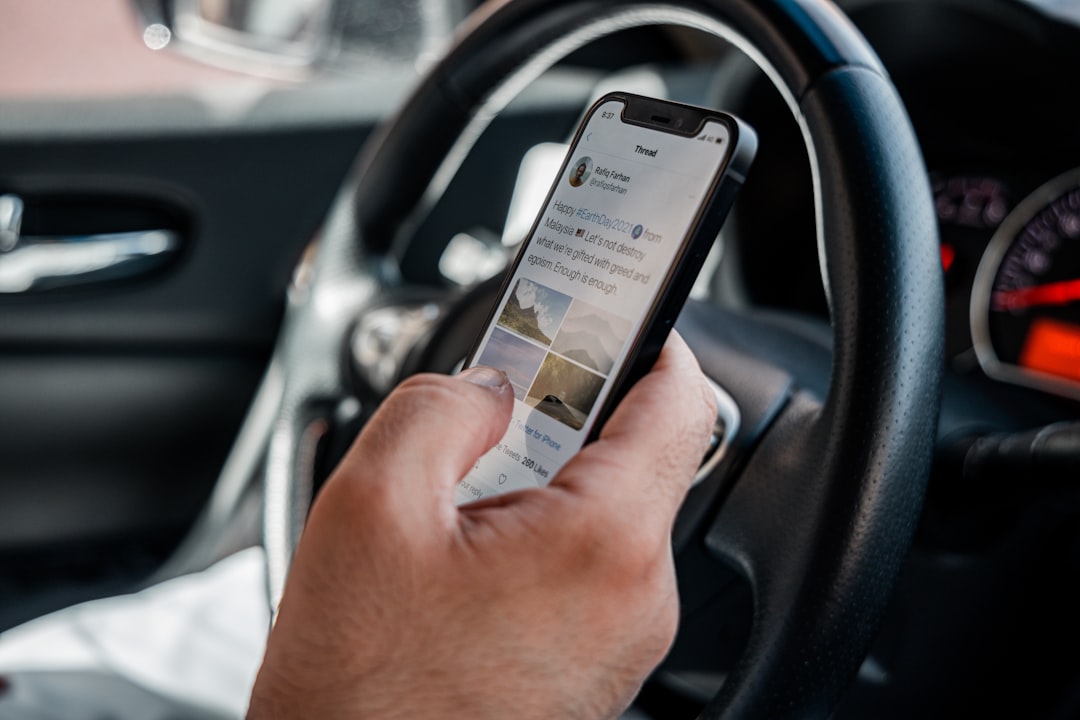
Never interact with your scanner app while driving. Real-time monitoring should only be performed by a passenger or when safely parked. The distraction poses serious accident risks comparable to texting while driving.
Some jurisdictions prohibit tampering with emission systems or clearing codes to bypass inspections. Always address underlying issues rather than simply clearing warnings, especially for emission-related problems.
When Professional Diagnosis Remains Necessary
Smartphone scanners excel at identifying problems but shouldn’t replace professional expertise in all situations:
- Complex intermittent issues requiring specialized diagnostic procedures
- Safety-critical systems like airbags and anti-lock brakes
- Transmission problems needing specific manufacturer tools
- Module programming or software updates
- Warranty-covered repairs requiring dealer documentation
Think of your scanner as a first-line diagnostic tool that informs conversations with mechanics, helps you understand quotes, and verifies completed repairs—not as a complete replacement for professional service.
💰 Cost-Benefit Analysis: Investment vs. Savings
Evaluating whether a smartphone scanner makes financial sense depends on your vehicle usage and maintenance approach.
A basic Bluetooth adapter costs $20-30, while quality apps range from free to $30 for premium versions. This $50 total investment typically pays for itself after a single avoided diagnostic fee, which averages $100-150 at repair shops.
Beyond direct cost savings, the knowledge gained prevents unnecessary repairs. Mechanics occasionally recommend fixes for codes that might resolve on their own or require simple solutions like tightening a gas cap.
For used car shoppers, a scanner can reveal $1,000+ in hidden problems during pre-purchase inspections, potentially saving thousands or providing negotiating leverage for price reductions.
🎯 Maximizing Your Scanner’s Potential
Owning a smartphone automotive scanner is just the beginning. Maximizing its value requires learning to interpret data and integrate it into your vehicle care routine.
Start by establishing baseline readings when your car runs normally. Record typical values for coolant temperature, fuel trims, oxygen sensor voltages, and other key parameters. These baselines become reference points for identifying abnormal readings later.
Join online communities dedicated to your vehicle model. Other owners share their experiences with specific codes, recommend proven fixes, and help interpret unusual data patterns specific to your car.
Regular scanning, even without warning lights, catches developing issues early. A monthly five-minute check reveals pending codes, monitors readiness status, and verifies all systems operate within normal ranges.
Your smartphone has evolved from a simple communication device into a powerful automotive diagnostic tool. By understanding how to properly use OBD2 scanners, you gain unprecedented insight into your vehicle’s health, make informed maintenance decisions, and potentially save thousands in unnecessary repairs. The technology once exclusive to professional mechanics now empowers every car owner to take control of their vehicle’s care—one code reading at a time.

Toni Santos is a visionary artisan and conceptual designer who channels the beauty of living organisms into structural expression. At Zureste, Toni explores the intricate elegance of insect anatomy, organic flow, and bioinspired design to create art that feels both natural and otherworldly.
Each creation Toni brings to life reflects a harmonic tension between structure and softness, wildness and control — echoing the complex intelligence found in the natural world. From beetle-like silhouettes to root-shaped contours, his work blurs the lines between biology, sculpture, and modern art.
Guided by fascination for metamorphosis, evolution, and pattern in nature, Toni’s pieces embody transformation. His BioLight Collection and conceptual series like Insect Type and Structure Aesthetics offer viewers more than aesthetic value — they present immersive experiences of living design.
As the creative force behind Zureste, Toni invites us to rethink beauty, architecture, and identity through a new lens — one shaped by wings, bones, spirals, and the microscopic poetry of the organic.
His creations reflect:
-
Design deeply rooted in the geometry of life
-
Inspiration from insects, roots, and the unseen natural order
-
A blend of science, spirituality, and visual storytelling
Whether you’re a lover of strange beauty, an admirer of evolution’s artistry, or a creative mind seeking something different, Toni welcomes you into a world where living forms become meaning, and surreal becomes sublime.